
VPN Peek

See if your VPN is actually working from your menu bar
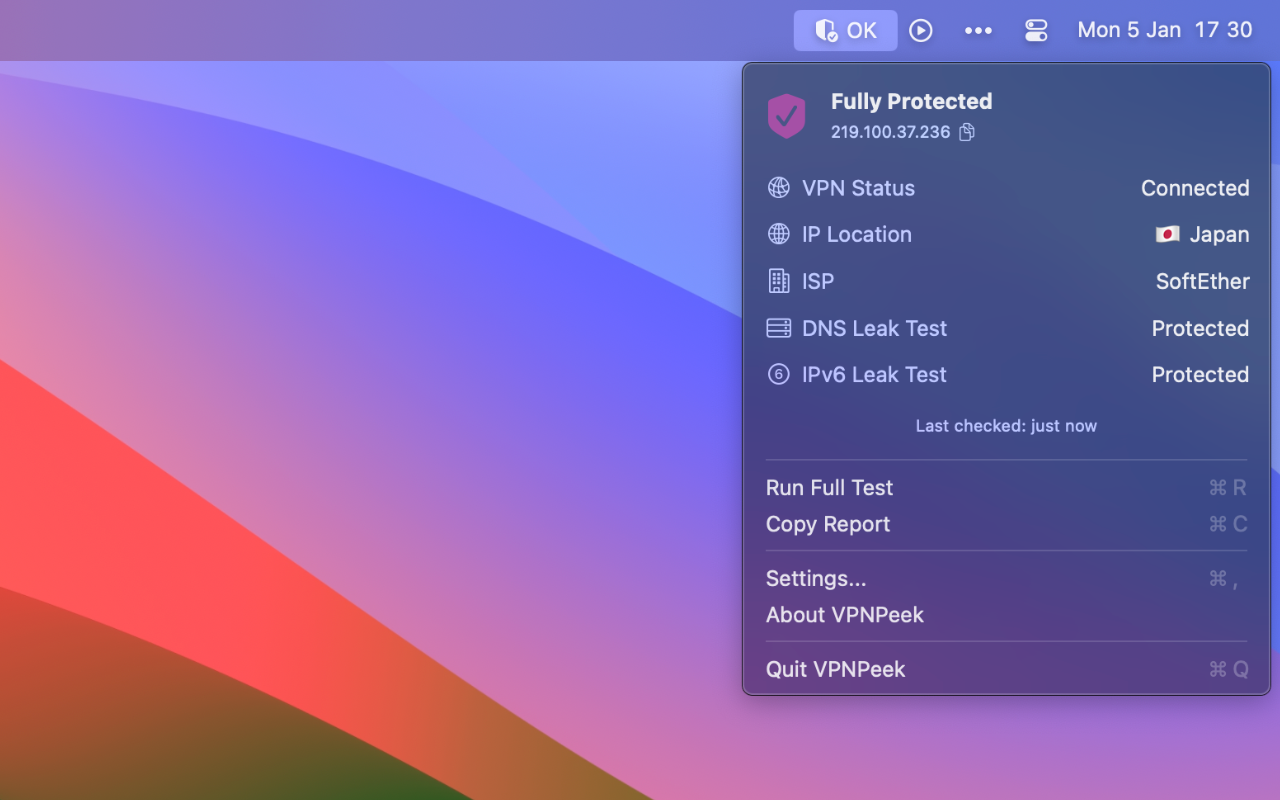
VPN Peek – Monitor VPN status and detect leaks from your macOS menu bar
Summary: VPN Peek displays real-time VPN status in the macOS menu bar and detects DNS and IPv6 leaks. It alerts users instantly if the VPN disconnects or traffic leaks occur, working with any VPN provider by monitoring system-level network activity.
What it does
VPN Peek shows your current public IP and location, detects DNS queries and IPv6 traffic leaks, and notifies you immediately when your VPN drops or leaks are found. It operates natively on macOS using SwiftUI and only contacts external servers to verify your public IP.
Who it's for
It is designed for macOS users who want to verify their VPN’s effectiveness and ensure their internet traffic is securely routed.
Why it matters
VPN Peek addresses the lack of clear VPN status indicators on macOS and prevents unnoticed DNS or IPv6 leaks that bypass VPN protection.