
SimTag: Git Branch Overlay iOS Simulator
Context for parallel AI coding sessions
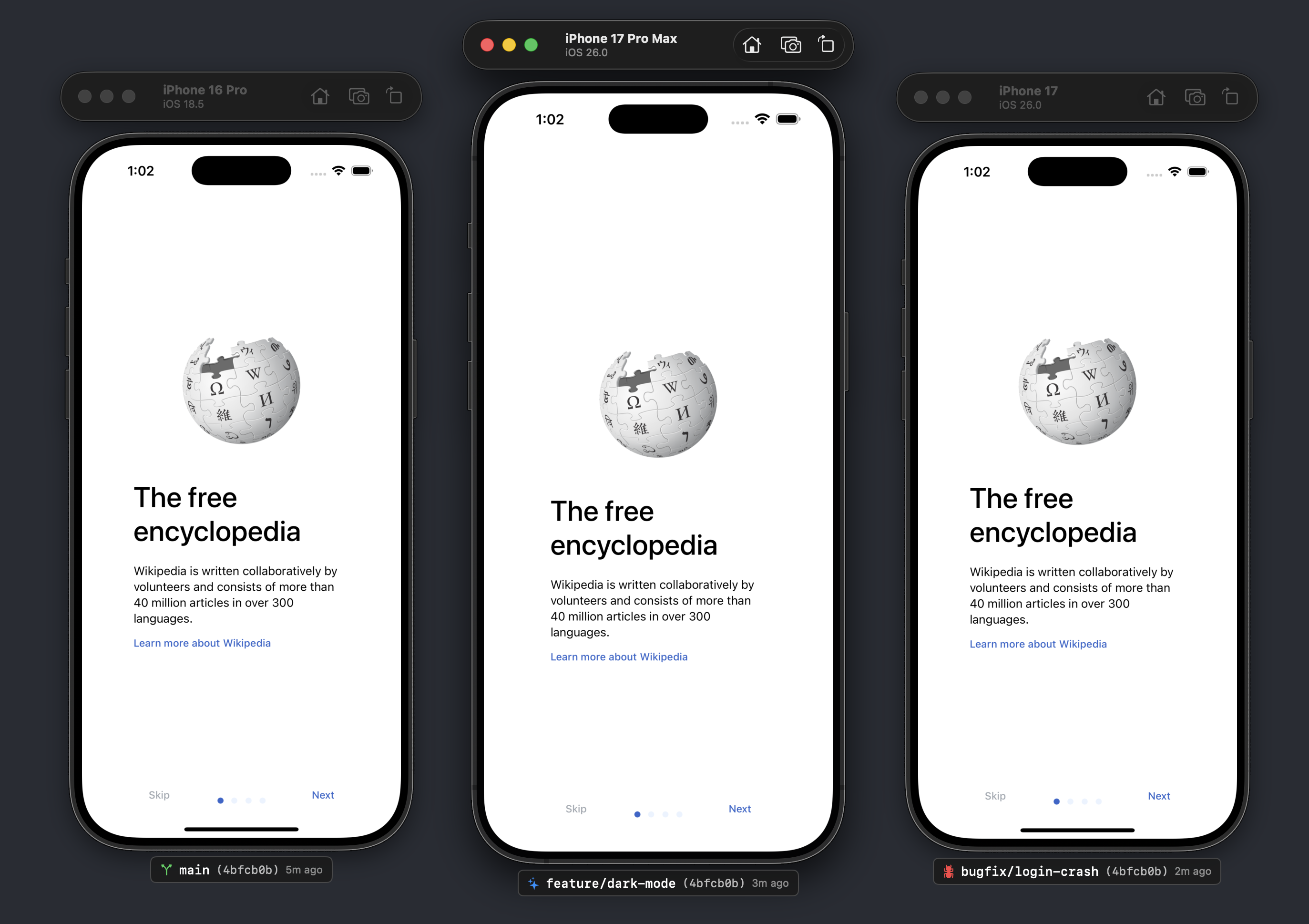
SimTag: Git Branch Overlay iOS Simulator – Identifies active git branches on iOS Simulators
Summary: SimTag overlays the current git branch name on each iOS Simulator window, enabling developers to distinguish between parallel builds and branches. It runs locally as a lightweight macOS utility without requiring Xcode plugins or workflow changes.
What it does
SimTag displays the active git branch directly on Simulator windows, supporting multiple parallel builds, worktrees, and multi-branch setups. It provides clear context by visually differentiating identical Simulator instances.
Who it's for
It is designed for iOS developers using multiple git branches, parallel AI coding sessions, or worktrees who need to avoid confusion between Simulator instances.
Why it matters
SimTag prevents errors caused by testing the wrong branch on identical Simulators, improving accuracy in complex, multi-branch development workflows.