
Leetion

Save LeetCode solutions to Notion in one click
Leetion – Save LeetCode solutions to Notion in one click
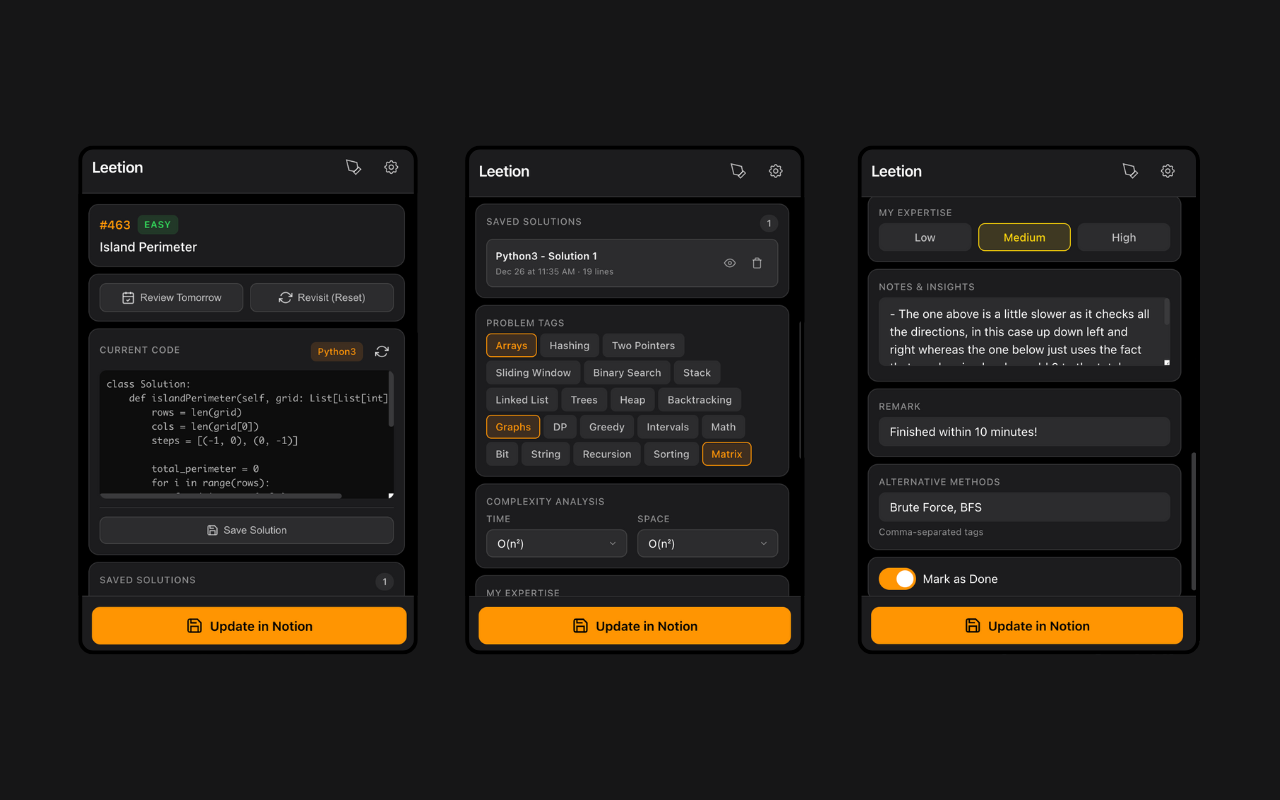
Summary: Leetion automates saving LeetCode problem details—including title, number, difficulty, tags, code, and URL—directly to Notion with one click. It features built-in spaced repetition for automatic review scheduling, tracks time and space complexity, supports multiple solutions and notes, and includes a drawing canvas for diagrams. Data is stored privately in the user's Notion workspace without servers or tracking.
What it does
Leetion transfers LeetCode problem data and code to Notion instantly, schedules reviews using spaced repetition, and allows note-taking and diagram sketching within the app.
Who it's for
It is designed for programmers who want to organize, review, and track their LeetCode problem-solving progress efficiently.
Why it matters
It eliminates manual copy-pasting and helps users retain problem solutions by automating note storage and review scheduling.